CRM Software for Small Businesses: Complete Buyer’s Guide
For a small business, managing leads, customers, quotations, and follow-ups manually can quickly become difficult. As the number of enquiries increases, sales teams may lose track of conversations, forget follow-ups, or spend too much time preparing quotations. This is where the right CRM software for small business can make a significant difference.
A CRM is no longer just a tool for storing customer names and phone numbers. Modern CRM software helps businesses organise leads, monitor sales activities, manage customer relationships, automate repetitive tasks, and understand where every opportunity stands.
For businesses that regularly create quotations, combining CRM capabilities with quotation software can make the sales process even more efficient. EazzQuote is designed to help businesses streamline quotation-related activities while improving visibility across the sales process.
Why Small Businesses Need CRM Software
Small businesses often operate with limited teams. A salesperson may be responsible for generating leads, communicating with customers, preparing quotations, following up, and closing deals. When all these activities are managed through spreadsheets, emails, messaging applications, and paper records, important information can easily get lost.
The right CRM software brings customer and sales information into one organised system. Sales teams can see customer details, enquiry history, follow-up activities, quotations, and opportunities without searching through multiple platforms.
A CRM can also help business owners understand sales performance. Instead of relying only on assumptions, they can monitor how many leads are being generated, how many quotations are being sent, which opportunities are active, and where prospects are dropping from the sales funnel.
This visibility is particularly valuable for small businesses because every lead can represent a significant revenue opportunity.
What Should You Look for in CRM Software?
Choosing CRM software should not be based only on the number of features. A small business needs software that employees can actually use consistently.
Here are some important factors to consider:
1. Easy Lead Management
The CRM should make it simple to capture, organise, assign, and track leads. Effective lead management software should help salespeople know which leads are new, which require follow-up, and which have already been contacted.
A clear lead pipeline can prevent enquiries from being forgotten and make it easier for managers to monitor sales activity.
2. Customer Information Management
A good CRM should maintain customer information in an organised manner. Salespeople should be able to access relevant details and previous interactions without searching through different systems.
This creates continuity when multiple team members interact with the same customer.
3. Follow-Up Management
One of the biggest challenges for small sales teams is missed follow-ups. A prospect may show interest today but make a purchasing decision several weeks later.
CRM software can help salespeople schedule reminders and maintain follow-up activities. This makes the sales process more systematic rather than dependent on memory.
4. Sales Pipeline Visibility
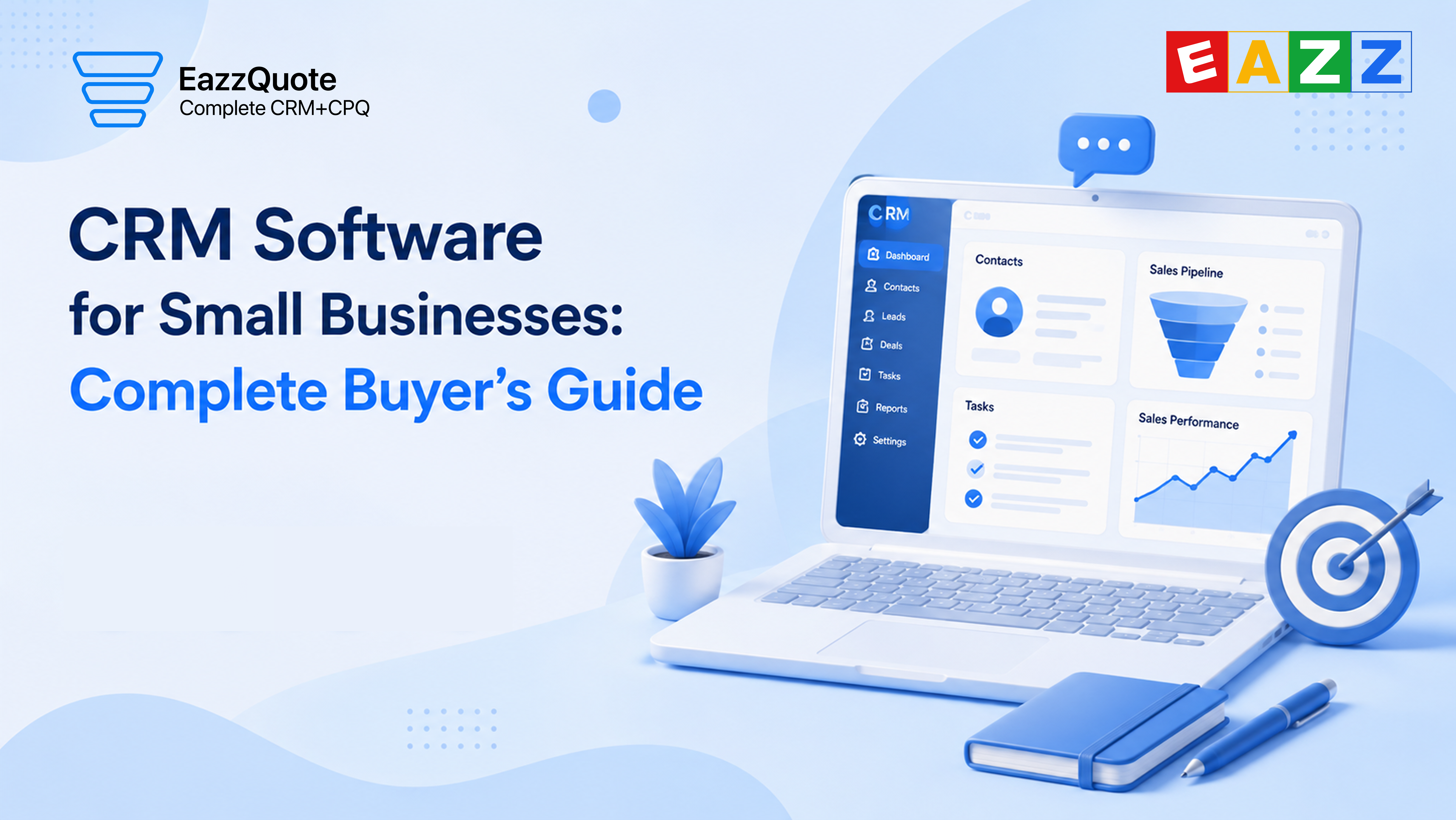
A visual sales pipeline helps businesses understand the status of opportunities. Leads can move through stages such as new enquiry, contacted, quotation sent, negotiation, and closed.
This gives managers a clearer picture of expected business and helps identify opportunities that require immediate attention.
Why Quotation Management Matters
For many businesses, the quotation is an important stage between enquiry and purchase. Preparing a quotation manually can consume considerable time, especially when products have different prices, quantities, discounts, taxes, or configurations.
Dedicated quotation software can simplify this process by helping businesses prepare, organise, and track quotations more efficiently.
EazzQuote focuses on making quotation management more organised. Instead of treating quotations as separate documents, businesses can connect quotation activities more closely with their sales workflow.
This can make it easier to understand which customer received which quotation, when it was sent, and whether follow-up is required.
CRM Software vs Quotation Software
Although CRM and quotation systems can work together, they serve different primary purposes.
CRM software focuses on customer relationships, leads, opportunities, sales activities, and follow-ups.
Quotation software focuses primarily on creating, managing, sending, and tracking quotations.
For businesses where quotations play a major role in converting enquiries into sales, using connected CRM and quotation capabilities can reduce repetitive work.
EazzQuote can be particularly relevant for businesses that want to organise their quotation process while maintaining better control over sales activities.
What Is CPQ Software?
Businesses with complex products, services, pricing structures, or custom configurations may require more than basic quotation functionality.
This is where CPQ software—Configure, Price, Quote—can be useful.
CPQ systems help sales teams configure the right products or services, apply appropriate pricing, and generate quotations based on those selections.
For example, imagine a business selling customised solutions where the final price depends on product combinations, quantities, optional features, and discounts. Calculating everything manually increases the possibility of errors.
A CPQ approach can standardise the process and help sales teams create more consistent quotations.
However, not every small business needs complex CPQ capabilities. Before investing in advanced software, businesses should identify whether their pricing and quotation process actually requires it.
The Benefits of Cloud-Based CRM Software
A cloud-based CRM software solution allows authorised users to access business information through the internet rather than relying entirely on software installed on a specific computer.
This can be useful for modern small businesses with employees working from different locations.
Some major advantages include:
- Access to customer information from different locations
- Easier collaboration between sales team members
- Centralised customer and sales information
- Reduced dependence on individual computers
- Easier software updates
- Better support for remote and hybrid teams
For small businesses, cloud-based systems can also reduce the need to maintain complex internal IT infrastructure.
However, businesses should still evaluate security, user permissions, data protection, backup policies, and vendor reliability before selecting a platform.
How CRM Can Improve Lead Conversion
Generating leads is only one part of the sales process. The real challenge is converting those leads into customers.
Suppose a company receives 100 enquiries in a month. If salespeople fail to respond quickly, forget follow-ups, or cannot find previous customer information, some of those opportunities may disappear.
A lead management software system can help organise these enquiries and provide greater visibility into the sales pipeline.
Sales teams can prioritise leads, assign enquiries to responsible employees, record interactions, and monitor follow-up activities.
This does not automatically guarantee more sales, but it creates a more disciplined process where fewer opportunities are overlooked.
CRM Features Small Businesses Should Prioritise
When comparing CRM software for small business, focus on features that directly solve existing problems.
Lead Tracking
The system should allow teams to capture and monitor leads from enquiry to conversion.
Contact Management
Customer information should be easy to search, update, and access.
Follow-Up Reminders
Automated or scheduled reminders can help salespeople stay consistent.
Quotation Management
Businesses that depend heavily on quotations should look for integrated or connected quotation capabilities to streamline the sales process and reduce manual work. Reporting features can help managers understand lead volume, quotation activity, conversion rates, and overall sales performance, enabling better decision-making. User Management allows businesses to control access based on employees’ roles and responsibilities, helping maintain data security and accountability. Integration with other business applications can reduce duplicate data entry and keep information consistent across different systems. Finally, Scalability is essential because the CRM should be capable of supporting the business as its customer base, sales team, and operational requirements continue to grow.
How Much Should a Small Business Spend on CRM?
There is no universal CRM budget because requirements differ significantly between businesses.
Instead of choosing the cheapest option, businesses should calculate the value the software can provide.
For example, if better follow-up management helps recover even a few previously missed opportunities, the software may generate significantly more value than its subscription cost.
At the same time, businesses should avoid paying for advanced features they will never use.
The ideal approach is to identify current problems, define essential features, compare pricing, and evaluate whether employees can easily adopt the system.
Common CRM Buying Mistakes
Small businesses sometimes make CRM decisions based purely on feature lists.
One common mistake is selecting software that is too complicated. A system with hundreds of features is not useful if employees find it difficult to use.
Another mistake is failing to plan data migration. Existing customer information, spreadsheets, and lead records may need to be cleaned and transferred.
Businesses should also avoid choosing software without considering future requirements.
Security is another important consideration. Customer and sales information should be protected through appropriate access controls and security practices.
Finally, businesses should consider customer support and training. Successful CRM implementation depends not only on software but also on employee adoption.
Why EazzQuote Can Be Considered
EazzQuote can be considered by businesses looking to bring greater structure to their quotation and sales workflow.
Instead of handling quotations as isolated documents, businesses can use a more organised approach to manage enquiries, quotations, and follow-up activities.
For sales teams, EazzQuote can help create a clearer workflow around quotation-related activities. This can make it easier to maintain consistency as the number of customers and enquiries increases.
The key objective should not simply be to purchase another software tool. The objective should be to create a sales process that is easier to manage, easier to monitor, and less dependent on manual work.
For organisations that want to improve quotation efficiency while strengthening their sales process, EazzQuote can be a practical option to evaluate.
How to Choose the Right CRM: A Simple Checklist
Before purchasing CRM software, ask these questions:
- What is our biggest sales-management problem?
- How are leads currently captured and assigned?
- Are follow-ups frequently missed?
- How are quotations currently prepared and tracked?
- Do we need CPQ software, or is standard quotation management enough?
- Do employees need remote access?
- What reports does management require?
- Does the software integrate with existing systems?
- Can employees learn the platform quickly?
- Can the system scale with the business?
Answering these questions can help narrow down the available options.
The Future of CRM for Small Businesses
CRM technology is becoming increasingly focused on automation, data visibility, integrations, and smarter workflows.
However, technology should always support the sales team rather than make the process unnecessarily complicated.
The best CRM software for small business is one that employees actually use, gives managers useful information, reduces repetitive work, and helps businesses maintain better relationships with prospects and customers.
When CRM, lead management software, quotation software, and cloud-based CRM software capabilities work together, businesses can create a more connected sales process.
For quotation-driven businesses, EazzQuote can help bring greater structure to quotation management while supporting a more organised approach to sales operations.
The right solution ultimately depends on the business model, sales process, team size, quotation complexity, and growth plans. Take time to identify the real problems first, then choose technology that solves those problems rather than simply choosing a system because it has more features.
Tags
CRM FAQs
The best CRM is one that is easy for your team to adopt, fits your budget, and integrates lead management with quotation tracking, such as EazzQuote.
It centralizes customer details, prevents missed follow-ups, automates repetitive administrative tasks, and provides visibility into the sales pipeline.
Combining quotation management with CRM ensures that when a lead is tracked, the sales team can generate, send, and monitor professional price quotes directly within the same system.
Yes, reputable cloud-based CRM systems use encryption, secure user access controls, and regular data backups to protect sensitive customer and sales information.
Contact
Email: info@eazzquote.com
Contact Us: +91-9124985345 | +971-561292026